

pp6630d128.gif
ppde66ae9e.png
pp3df4401b.gif
ppfb3ce3ab.png
pp3df4401b.gif
pp3df4401b.gif
pp3df4401b.gif
pp3df4401b.gif
pp3df4401b.gif
pp3df4401b.gif
pp9faf6dbc.png
ppb579a666.png
pp3df4401b.gif
ppb1015d87.png
pp3df4401b.gif
pp3df4401b.gif
pp3df4401b.gif
pp3df4401b.gif
pp3df4401b.gif
pp3df4401b.gif
pp3df4401b.gif
pp3df4401b.gif
pp3df4401b.gif
pp3df4401b.gif
pp3df4401b.gif
pp3df4401b.gif
pp3df4401b.gif
pp3df4401b.gif
pp3df4401b.gif
pp3df4401b.gif
pp3df4401b.gif
pp3df4401b.gif
pp3df4401b.gif
pp3df4401b.gif
ppdeb8bb4e.png
pp3df4401b.gif
pp3df4401b.gif
ppf73b63d3.png
pp3df4401b.gif
14th June 2008
Photography & Photographers
IF IN DOUBT ASK !!!!
Eadweard Muybridge
Even drawings in MS-‘Paint’ can be recorded and saved as screen shots as a drawing develops and then edited in the animation software with the simplest of sketches often giving amusing results.  

One resource site giving inspiration for activities to do with animated art is the Nation Gallery of America’s site (http://www.nga.gov/kids/  )  The BRUSHster facility for drawing your own work (linked to from the NGA homepage) is a good illustration of what might be done within art lessons to show the progress of a piece of work.

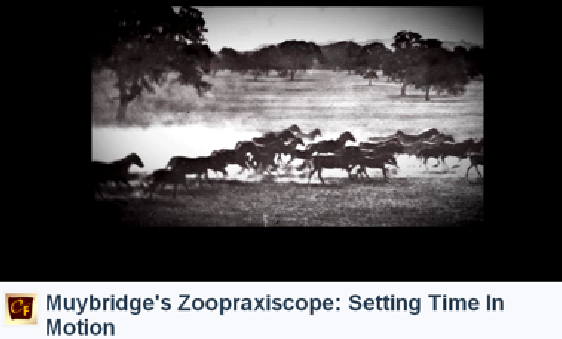
http://en.wikipedia.org/wiki/Eadweard_Muybridge
 (the background to Eadweard Muybridge and his work)

http://www.precinemahistory.net/1870.htm
 (the developments in early cinematic technique))

http://images.google.co.uk/images?q=eadweard+muybridge
 (Images of the work of Eadweard Muybridge )

http://www.youtube.com/watch?v=B8hDoOKJKCM&watch_response
 (impressive and advanced but an example of a story-line and planning)

http://www.freeserifsoftware.com/software/PhotoPlus/key_features.asp
 Photoplus – Free ‘Serif’ software to edit and create images
ppf55cdd48.png
pp3df4401b.gif
pp3df4401b.gif
pp448923fb.png
pp3df4401b.gif
img72.gif
img126.gif
img132.gif
pp3df4401b.gif
pp3df4401b.gif
pp3df4401b.gif
img72.gif
img126.gif
img132.gif
pp3df4401b.gif
pp3df4401b.gif
pp3df4401b.gif
pp3df4401b.gif
pp3df4401b.gif
pp3df4401b.gif
pp76aebb26.png